Table of Contents
- What Are PWAs & Why They Matter in 2026
- When Native Apps Still Win
- The Real Cost Comparison: PWA vs Native
- Performance & User Experience
- Feature Comparison: What Can Each Do?
- Ongoing Maintenance & Hidden Costs
- Real Projects: Where We Chose PWA vs Native
- Our Decision Framework
- Frequently Asked Questions
You have a great product idea. You know your users need a mobile experience. But with a limited budget, you're staring down a fork in the road: do you build a Progressive Web App (PWA) or go native?
It's the question we hear most often from startups and growing businesses. And after delivering 100+ mobile projects at Techglock Software Solutions, our honest answer is: it depends on exactly three things — your budget, your features, and your timeline.
This guide breaks down the real numbers, performance data, and decision framework we use with our clients. No hype, no vendor bias — just practical advice to help you invest your development budget wisely.
Not Sure Which Approach Fits Your Project?
We offer a free 30-minute consultation to help you evaluate PWA vs native for your specific use case and budget.
Book a Free Strategy CallWhat Are PWAs & Why They Matter in 2026
A Progressive Web App is essentially a website that behaves like a native app. It loads in the browser but can be "installed" on a user's home screen, work offline, send push notifications, and access device features like the camera and GPS — all without going through an app store.
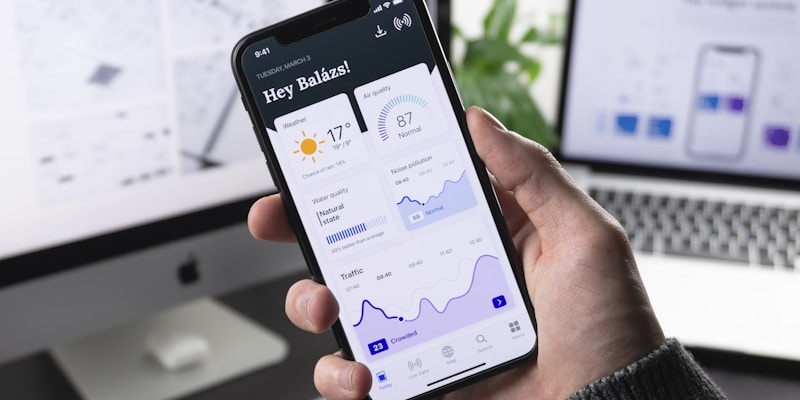
In 2026, PWA capabilities have expanded dramatically. Service workers, Web Push API, Web Bluetooth, File System Access API, and the WebGPU standard mean PWAs can now do things that were native-only territory just two years ago. Major companies like Starbucks, Pinterest, Uber, and Twitter (now X) have shipped successful PWAs that rival their native counterparts.
The three key technologies powering modern PWAs are service workers (for offline caching and background sync), web app manifests (for installability and home screen icons), and modern web APIs (for hardware access and push notifications).
When Native Apps Still Win
Let's be balanced. Native apps — built with Swift/SwiftUI for iOS or Kotlin for Android (or cross-platform with React Native/Flutter) — still have clear advantages in specific scenarios.
Graphics-intensive applications. Games, AR/VR experiences, and apps with complex 3D rendering need direct access to GPU APIs like Metal (iOS) and Vulkan (Android). While WebGPU is promising, native still has a 2-3x performance edge for heavy graphics workloads.
Deep OS integration. If your app needs Siri/Google Assistant integration, HealthKit/Google Fit data, advanced Bluetooth LE profiles, NFC for payments, or background geofencing — native is still the only reliable path.
App Store presence. If your marketing and distribution strategy depends on app store discovery, ratings, and featured placements, you need a native (or at minimum, a wrapped) app. While PWAs can technically be listed in some stores, the experience isn't equivalent.
Maximum performance. For apps processing real-time audio/video, running ML models on-device, or handling complex computations — native code compiled directly for the hardware will always outperform JavaScript in a browser sandbox.
The Real Cost Comparison: PWA vs Native
This is where the conversation gets concrete. Here's what we see across our actual project budgets:
| Cost Category | PWA | Native (iOS + Android) |
|---|---|---|
| Initial Development | $5,000 – $25,000 | $15,000 – $80,000+ |
| Timeline | 4 – 10 weeks | 8 – 20 weeks |
| Team Size Needed | 1-2 developers | 2-4 developers |
| App Store Fees | $0 | $124/year (Apple $99 + Google $25) |
| App Store Commission | 0% (direct payments) | 15-30% on in-app purchases |
| Hosting (monthly) | $20 – $100 | $100 – $500 (+ backend) |
| Annual Maintenance | $2,000 – $8,000 | $8,000 – $30,000 |
| Updates & Deployment | Instant (deploy to web) | 1-7 day review (app stores) |

The cost difference is substantial. A medium-complexity app that costs $40,000 as a native project (iOS + Android) might cost $15,000-$18,000 as a PWA. Over two years, factoring in maintenance, the savings compound even further.
Budget Reality Check: If your total budget for mobile is under $20,000, a PWA is almost always the smarter investment. You'll ship faster, reach more users (iOS + Android + desktop with one codebase), and save your remaining budget for marketing and iteration based on real user feedback.
Want an Exact Quote for Your App?
Share your requirements and we'll provide a detailed cost breakdown for both PWA and native approaches — within 24 hours.
Get Your Free QuotePerformance & User Experience
User experience is where the PWA vs native debate gets nuanced. Let's look at real performance data:

Loading speed. PWAs with proper caching strategies load in under 2 seconds on repeat visits — comparable to native apps. First load depends on connection quality, but service worker pre-caching eliminates this on subsequent visits. Native apps have the advantage of pre-installed assets.
Smooth animations. Modern browsers can render 60fps animations using CSS transforms and the Web Animations API. For standard app transitions, scrolling, and UI interactions, users won't notice a difference between a well-built PWA and a native app.
Offline capability. Both approaches handle offline well. PWAs use service workers to cache data and assets, serving them instantly when offline. Native apps store data locally using SQLite or Realm. For most business apps, both approaches provide a seamless offline experience.
Where native pulls ahead. Complex gesture handling, simultaneous multi-touch interactions, haptic feedback patterns, and animations involving large bitmap manipulations still feel snappier on native. If your app's core experience depends heavily on these, native is worth the investment.
Feature Comparison: What Can Each Do?
| Feature | PWA (2026) | Native |
|---|---|---|
| Push Notifications | Yes (incl. iOS) | Yes |
| Offline Mode | Yes | Yes |
| Camera & Microphone | Yes | Yes |
| GPS & Geolocation | Yes | Yes |
| Home Screen Install | Yes | Yes |
| Background Sync | Yes | Yes |
| Bluetooth & NFC | Limited | Full |
| AR/VR | Basic (WebXR) | Full (ARKit/ARCore) |
| In-App Payments | Yes (Payment Request API) | Yes (+ Apple/Google Pay) |
| App Store Distribution | No (web-only) | Yes |
| File System Access | Yes (File System API) | Full |
| Biometric Auth | Yes (WebAuthn) | Yes |
The feature gap has shrunk significantly. In 2024, PWAs couldn't send push notifications on iOS. In 2026, that's no longer an issue. For 80% of business applications, PWAs can deliver every feature users need.
Ongoing Maintenance & Hidden Costs
Initial development cost is only half the picture. The long-term costs of maintaining your app often determine which approach is actually cheaper over 2-3 years.
PWA maintenance is simpler. One codebase means one set of bugs to fix, one deployment pipeline, and one team to maintain it. When you push an update, every user gets it instantly — no waiting for app store reviews, no fragmented user base running different versions.
Native maintenance multiplies. Every feature update, bug fix, and OS compatibility update needs to happen on both platforms. When Apple releases a new iOS version each September, your iOS app needs testing and potentially updates. Same for Android's annual releases. This easily adds $5,000-$15,000 per year in maintenance costs that PWAs avoid entirely.

Hidden Cost Alert: App store commissions are often overlooked. If your app generates revenue through in-app purchases or subscriptions, Apple and Google take 15-30%. With a PWA, you process payments directly and keep 100% (minus standard payment processing fees of 2-3%).
We've Helped 100+ Businesses Make This Decision
Get a personalized recommendation based on your specific requirements, target audience, and budget constraints.
Schedule a Free ConsultationReal Projects: Where We Chose PWA vs Native
Here are three real scenarios from our portfolio that illustrate when each approach makes sense:
E-Commerce Marketplace — Chose PWA
Client: A B2C marketplace with 10,000+ products, targeting mobile-first users in India and Southeast Asia.
Why PWA: The target audience had varying device quality and limited storage. A PWA meant no download barrier (critical for conversion), instant loading via service worker caching, and direct payment processing without app store commissions. The result: 3x higher engagement compared to their previous mobile website, 40% reduction in bounce rate, and $0 in app store fees.
Budget: $12,000 (versus estimated $35,000 for native iOS + Android)
Health & Fitness Tracker — Chose Native (React Native)
Client: A wellness startup needing real-time heart rate monitoring via Bluetooth wearables.
Why Native: Continuous Bluetooth LE data streaming, HealthKit/Google Fit integration, and background heart rate monitoring required native capabilities that PWAs couldn't reliably deliver. We used React Native to share 70% of the code between platforms while accessing native health APIs.
Budget: $28,000 (single codebase with React Native)
SaaS Dashboard — Chose PWA
Client: A project management SaaS that needed a mobile companion app for their web platform.
Why PWA: The app primarily displayed dashboards, charts, and task lists — all things web technology handles beautifully. Push notifications for task assignments, offline access for reviewing data, and instant deployment of updates made PWA the obvious choice. Sharing authentication and codebase with the web app saved 60% of development time.
Budget: $8,000 (leveraged existing web codebase)
Our Decision Framework
After building apps for clients across every industry, here's the decision framework we use internally at Techglock:
Choose a PWA When:
• Your budget is under $25,000 for the initial build
• You need to ship in under 8 weeks
• Your app is content-heavy (e-commerce, news, dashboards, SaaS)
• You want to avoid app store commissions on payments
• Your target audience is in emerging markets with device/bandwidth constraints
• Instant updates without app store review are important
• You're validating an MVP before committing to native
Choose Native When: Your app requires heavy graphics/gaming, deep hardware integration (Bluetooth LE, NFC payments, AR), real-time audio/video processing, or app store discovery is your primary distribution channel. Also choose native if your budget supports it and long-term platform-specific polish is a priority for your brand.
The best approach for many businesses? Start with a PWA to validate your concept and build your user base, then invest in native once you have product-market fit and the revenue to justify the higher investment. This staged approach saves money and reduces risk.
"The most expensive app is the one that never finds its users. Ship fast with a PWA, learn from real data, then invest in native where it matters." — Rajesh Thakur
Frequently Asked Questions
How much does it cost to build a PWA vs a native app?
A PWA typically costs $5,000-$25,000 for a single codebase that works everywhere. A native app for both iOS and Android costs $15,000-$80,000+ since you're building two separate apps. PWAs save 40-60% on initial development costs. At Techglock, we provide detailed cost breakdowns for both approaches so you can make an informed decision.
Can a PWA replace a native app?
For many use cases, yes. PWAs now support push notifications (including on iOS since 2023), offline mode, camera access, GPS, biometric authentication, and home screen installation. However, native apps are still better for graphics-intensive apps, AR/VR, advanced Bluetooth/NFC, and apps requiring deep OS-level integration like HealthKit or Siri Shortcuts.
Which is better for a startup on a limited budget?
PWAs are typically the better choice for startups. You get cross-platform reach with a single codebase, no app store approval delays, instant updates, and significantly lower development and maintenance costs. You can always add a native app later once you've validated your business model and have the revenue to justify the investment.
Do PWAs work on iPhones?
Yes. Since iOS 16.4 (2023), PWAs on iPhones support push notifications, home screen installation, badges, and most web APIs. Apple has been steadily improving PWA support. While there are still minor limitations compared to Android (like no background sync), for the vast majority of business apps, PWAs work great on iPhones.
Can you convert an existing website into a PWA?
Absolutely — and it's one of the most cost-effective mobile strategies. If you already have a responsive website, adding PWA capabilities (service worker, manifest, offline support) can cost as little as $3,000-$8,000. Your existing users get a dramatically better mobile experience without downloading anything.
How long does it take to build a PWA?
A typical PWA takes 4-10 weeks depending on complexity. Simple PWAs (content sites, basic e-commerce) can be ready in 4-6 weeks. Complex PWAs (real-time features, multiple integrations, offline-first architecture) take 8-10 weeks. This is roughly half the timeline of building native apps for both platforms.
Ready to Build Your App?
Whether it's a PWA or native — we'll help you choose the right approach and deliver a product your users love, on time and on budget.
Get a Free Project Estimate →